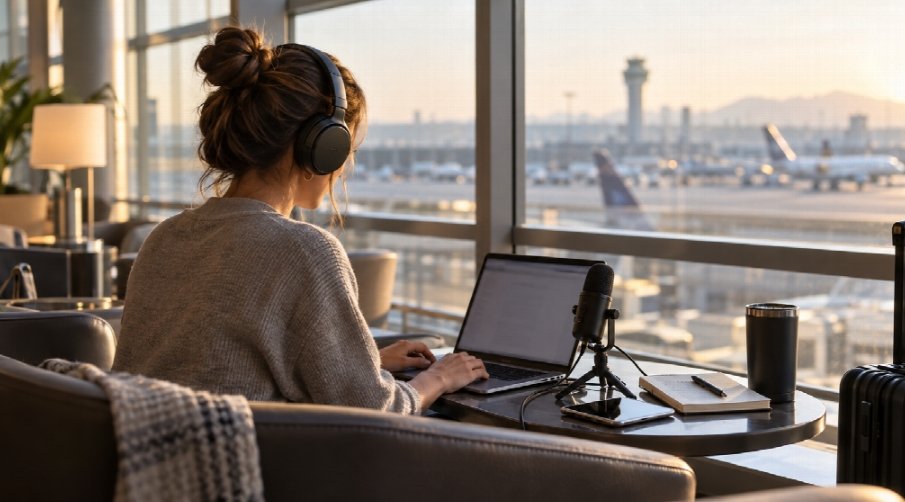
A podcast can travel almost anywhere. A host can record from a hotel room, a producer can send a guest brief from an airport lounge, and a guest can join an interview from a coworking space.
That flexibility is useful, but it quietly changes the way information moves. The same laptop or phone that plays reference episodes may also hold a guest’s contact details, an unedited recording, a release form, a sponsor brief, or a link to a shared production folder. None of that needs a dramatic security incident to become awkward. Sometimes the risk starts with a rushed upload, a browser left signed in, or a file link sent to the wrong person.
The aim is not to turn every travel day into an IT exercise. It is to have a few habits that still work when you are tired, late, and trying to make a clean call from an unfamiliar place.
Decide what needs to travel before you leave
The safest production file is often the one that never made the trip. Before a conference or remote interview, take only the current run sheet, guest research, a contact method, and perhaps a backup recording path. Leave old raw audio and full client folders behind.
This also makes the practical work easier. Fewer local files mean less hunting through folders when a guest asks for the latest link. Keep one current working folder, use clear version names, and give the people involved access to that folder rather than emailing attachments back and forth.
For guest information, separate the useful from the sensitive. A public bio and confirmed time may belong in a shared brief. A private phone number, home address, or contract with bank information does not. Ask: if this file were forwarded by mistake, would it create a real problem for someone?
Treat public Wi-Fi as a convenience, not a studio network
Public Wi-Fi can be perfectly adequate for checking a schedule or downloading a published episode. It is a poor place to become casual about account access. The name of a network can be copied, captive portals can be confusing, and the room around you may be as much of a concern as the connection itself.
When you need to use public Wi-Fi, confirm the network name with staff instead of choosing the closest match. Avoid signing in to the services that would cause the most trouble if a session were exposed—your main email, finance tools, or the account that controls podcast distribution—unless the task cannot wait. Mobile data is often the simpler option for a quick approval or password reset.
A VPN is one additional layer for traffic moving over a network you do not control; it does not make a device trustworthy or fix a weak password. If you need that layer while traveling, a Free VPN can be a practical way to encrypt the connection between your device and the VPN service. It still matters to use legitimate sites, keep the operating system current, and sign out when the work is done.
Keep the recording path separate from the admin work
Live recording days have a special failure mode: everything happens at once. A guest is waiting, a calendar invite changes, and the hotel connection starts misbehaving. That is when people share an open folder or send credentials through chat just to keep the session moving.
Build a small fallback plan before the call. Decide which platform is the primary recording method, which local recording is the backup, and how the guest will be contacted if the video call drops. Give the guest one clean instructions page instead of a long chain of messages with several different links.
For shared folders, invite named people where possible and check the access level after the guest has downloaded what they need. “Anyone with the link” is fast, but it is not the same as knowing who has the link. If that setting is necessary for a low-risk asset, set an expiry date or remove the sharing permission after the session.
Make account recovery boring
Podcast work can involve more accounts than people realize: hosting, editing, scheduling, newsletters, guest booking, cloud storage, social media, analytics, ad platforms, and payment services. Losing access while you are away is disruptive; recovering access through an old email address or a shared password is worse.
Use a password manager so each service has its own long password. Turn on multi-factor authentication for the accounts that control publishing, money, or large contact lists. Before travel, make sure the backup method is available without relying on the phone number or device that might be lost. Recovery codes belong in a secure place, not in a note titled “passwords” on the same laptop.
For a small team, decide who owns each critical account. A show should not become inaccessible because one freelancer’s personal inbox was the only recovery address.
Watch the physical moments people forget
Privacy is not only about the network. A producer reviewing a guest contract with their screen facing a busy café has already made it easier to see than intended. A phone left charging near a gate can expose notifications and one-time codes.
Choose a seat with your screen away from foot traffic when you can. Use a screen lock that activates quickly. Turn off sensitive notification previews before a busy travel day, and carry headphones for reviewing clips or listening to private notes. These are small choices, but they reduce the number of opportunities for a private detail to become public by accident.
If you have to step away, take the device. Two minutes is enough time for someone to look at a screen or walk away with the wrong bag.
Close the loop after the trip
The final step takes five minutes and is easy to skip: clean up the temporary access created while working away from the studio. Remove guest access from folders that are no longer needed. Delete downloaded copies of sensitive files from a borrowed or secondary device. Check whether a shared link is still open. Sign out of any browser profile used on a public computer.
Then note what made the day harder than it needed to be. Maybe the guest instructions were scattered or nobody knew where the backup recording was stored. Fixing that one friction point before the next trip does more than adding a long policy no one will read.
Podcasts are personal and portable. Structure keeps them that way without treating every coffee shop as an extension of the studio.